| [checked revision] | [checked revision] |
No edit summary |
No edit summary |
||
| (12 intermediate revisions by the same user not shown) | |||
| Line 1: | Line 1: | ||
== Description == | == Description == | ||
Use to create tiny icons (and captions). By default, the icon size is 28px but it can be re-defined. | Use to create tiny icons (and captions). By default, the icon size is 28px but it can be re-defined. | ||
== Modules used == | |||
* [[Module:Utils]] | |||
* [[Module:Icon]] | |||
* [[Module:IconUtils]] | |||
== Syntax == | == Syntax == | ||
<syntaxhighlight lang="mediawiki">{{Icon|name|style|link|size}}</syntaxhighlight> | <syntaxhighlight lang="mediawiki">{{Icon|name|style|link|size|border|count}}</syntaxhighlight> | ||
{| class="ecotable mw-half" | {| class="ecotable mw-half" | ||
| Line 17: | Line 22: | ||
|- | |- | ||
| <code>style</code> | | <code>style</code> | ||
| 1,2,3 | | 1,2,3,4,5 | ||
| 1 | | 1 | ||
| Defines the (caption) style. Default is a small icon that is unlinkable with no caption. | | Defines the (caption) style. Default is a small icon that is unlinkable with no caption. | ||
| Line 23: | Line 28: | ||
* <code>2</code> = outputs the icon name as plain text next to the icon | * <code>2</code> = outputs the icon name as plain text next to the icon | ||
* <code>3</code> = outputs the icon name as a small caption below the icon | * <code>3</code> = outputs the icon name as a small caption below the icon | ||
* <code>4</code> = outputs the icon name in frame with a small caption below the icon | |||
* <code>5</code> = outputs the icon for recipes with count and border (Version from WugWugg) | |||
|- | |- | ||
| <code>link</code> | | <code>link</code> | ||
| Line 33: | Line 40: | ||
| any px size | | any px size | ||
| 50 | | 50 | ||
| If you are using this, you must write out <code>size=</code> and assumes <code>px</code>. | | If you are using this, you must write out <code>size=</code> and assumes <code>px</code>. Max size is 128px. | ||
|- | |||
| <code>border</code> | |||
| color name or Hex code | |||
| green | |||
| If you are using this, you must write html color name or Hex code as <code>border=</code>. | |||
|- | |||
| <code>count</code> | |||
| white,yellow,green | |||
| green | |||
| If you are using this, you must write count as <code>count=</code>. | |||
|} | |} | ||
| Line 46: | Line 63: | ||
| {{Icon|name=Charred Meat|size=100}} | | {{Icon|name=Charred Meat|size=100}} | ||
|- | |- | ||
| Style 1, | | Style 1, Size 50, Link itself | ||
| <syntaxhighlight lang="mediawiki">{{Icon|name=Charred Meat|link=1}}</syntaxhighlight> | | <syntaxhighlight lang="mediawiki">{{Icon|name=Charred Meat|link=1|size=50}}</syntaxhighlight> | ||
| {{Icon|name=Charred Meat|link=1}} | | {{Icon|name=Charred Meat|link=1|size=50}} | ||
|- | |||
| Style 2, No Size, Link to page Food | |||
| <syntaxhighlight lang="mediawiki">{{Icon|name=Charred Meat|link=Food|style=2}}</syntaxhighlight> | |||
| {{Icon|name=Charred Meat|link=Food|style=2}} | |||
|- | |||
| Style 3, Size 100, Link itself | |||
| <syntaxhighlight lang="mediawiki">{{Icon|name=Charred Meat|link=1|size=100|style=3}}</syntaxhighlight> | |||
| {{Icon|name=Charred Meat|link=1|size=100|style=3}} | |||
|- | |- | ||
| Style | | Style 4, Size 50, Link itself, with border | ||
| <syntaxhighlight lang="mediawiki">{{Icon|name=Charred Meat|link= | | <syntaxhighlight lang="mediawiki">{{Icon|name=Charred Meat|link=1|size=50|style=4}}</syntaxhighlight> | ||
| {{Icon|name=Charred Meat|link= | | {{Icon|name=Charred Meat|link=1|size=50|style=4}} | ||
|- | |- | ||
| Style | | Style 5, Size 64, Link itself, with green border and count 100 | ||
| <syntaxhighlight lang="mediawiki">{{Icon|name=Charred Meat|link= | | <syntaxhighlight lang="mediawiki">{{Icon|name=Charred Meat|link=1|size=64|style=5|border=green|count=100}}</syntaxhighlight> | ||
| {{Icon|name=Charred Meat|link= | | {{Icon|name=Charred Meat|link=1|size=64|style=5|border=green|count=100}} | ||
|} | |} | ||
<noinclude>[[Category:Template Docs]]</noinclude> | <noinclude>[[Category:Template Docs]]</noinclude> | ||
Latest revision as of 06:16, 24 February 2026
Description
[edit source]Use to create tiny icons (and captions). By default, the icon size is 28px but it can be re-defined.
Modules used
[edit source]Syntax
[edit source]{{Icon|name|style|link|size|border|count}}
| Field | Accepted Parameters | Example | Notes |
|---|---|---|---|
name
|
item name | Charred Meat | Name of the item as in the game |
style
|
1,2,3,4,5 | 1 | Defines the (caption) style. Default is a small icon that is unlinkable with no caption.
|
link
|
Page Name or 1 | Charred Meat | Optional. Use if you want the icon to also link to a page.
|
size
|
any px size | 50 | If you are using this, you must write out size= and assumes px. Max size is 128px.
|
border
|
color name or Hex code | green | If you are using this, you must write html color name or Hex code as border=.
|
count
|
white,yellow,green | green | If you are using this, you must write count as count=.
|
Samples
[edit source]| Example | Syntax | Result |
|---|---|---|
| Style 1, Size 100px, no link | {{Icon|name=Charred Meat|size=100}}
|
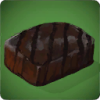
|
| Style 1, Size 50, Link itself | {{Icon|name=Charred Meat|link=1|size=50}}
|

|
| Style 2, No Size, Link to page Food | {{Icon|name=Charred Meat|link=Food|style=2}}
|
 Food Food
|
| Style 3, Size 100, Link itself | {{Icon|name=Charred Meat|link=1|size=100|style=3}}
|
Charred Meat |
| Style 4, Size 50, Link itself, with border | {{Icon|name=Charred Meat|link=1|size=50|style=4}}
|
|
| Style 5, Size 64, Link itself, with green border and count 100 | {{Icon|name=Charred Meat|link=1|size=64|style=5|border=green|count=100}}
|


